Getting Started
Installation
Install the library
pip install flask-ninja
Quick Example
As you can see, that it is really simple and powerful.
main.py
from flask import Flask
from flask_ninja import NinjaAPI
from pydantic import BaseModel

app = Flask(__name__)
api = NinjaAPI(app)

class Response(BaseModel):
    """Response model containing results of various number operations."""
    sum: int
    difference: int
    product: int
    power: int

@api.get("/compute")
def compute(a: int, b: int) -> Response:
    """Computes results of various number operations.

    This endpoint returns a result of the following operations:
    - sum
    - difference
    - product
    - power

    :param int a: First number
    :param int b: Second number number
    """
    return Response(
        sum=a + b,
        difference=a - b,
        product=a * b,
        power=a ** b
    )

if __name__ == "__main__":
    app.run()
Run python main.py and open your browser at http://127.0.0.1:5000/compute?a=1&b=2 .
You will see the json:
{
    "difference":-1,
    "power":1,
    "product":2,
    "sum":3
}
Now you’ve created an API that:
receives an HTTP GET request at
/computeednpointtakes, validates and type-casts GET parameters
aandbdecodes the returned pydantic model into json
generates an OpenAPI schema for the
/computeendpoint using the endpoint docstrings
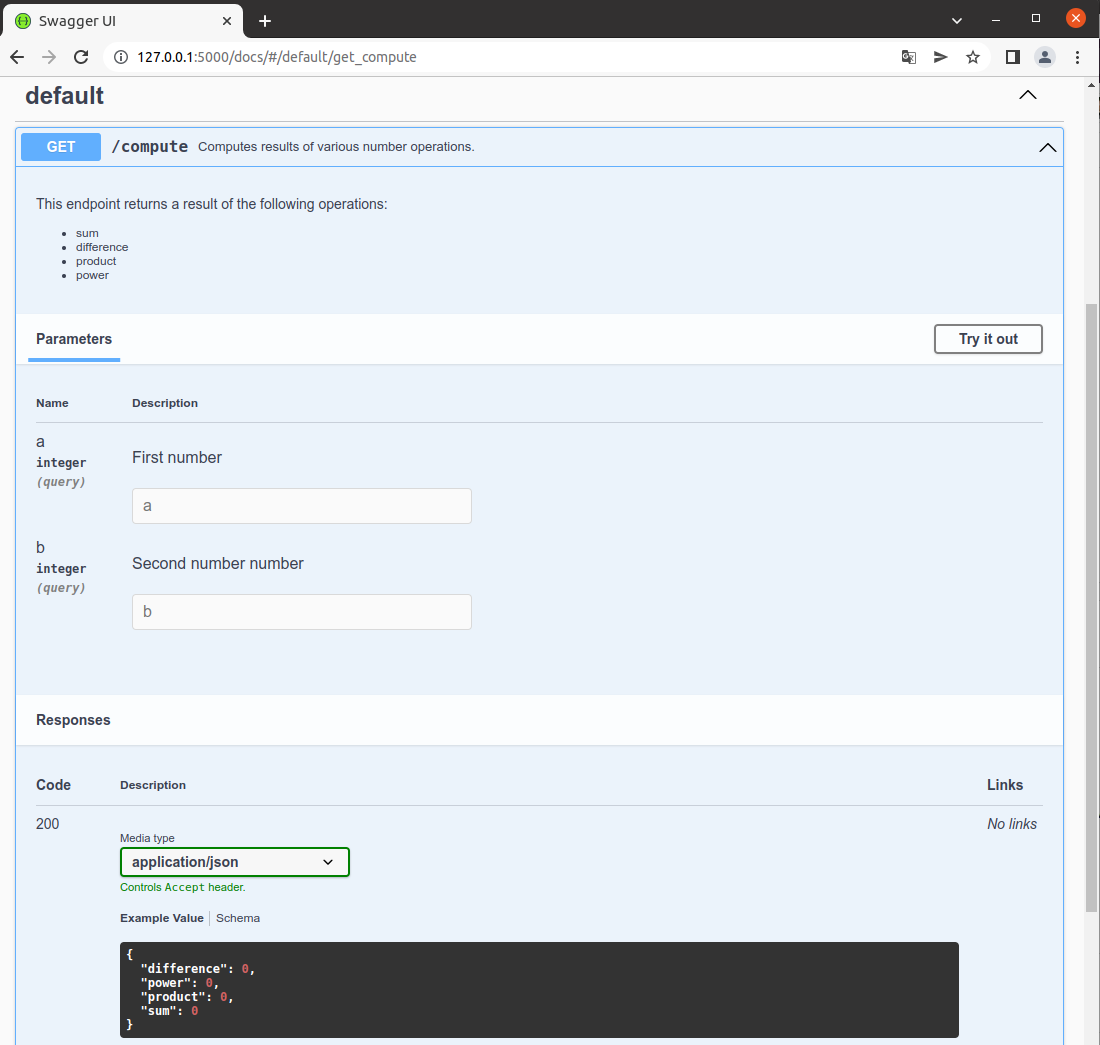
Interactive API docs
Now go to http://127.0.0.1:5000/docs/
You will see the automatic, interactive API documentation (Provided by the OpenAPI/Swagger UI)